


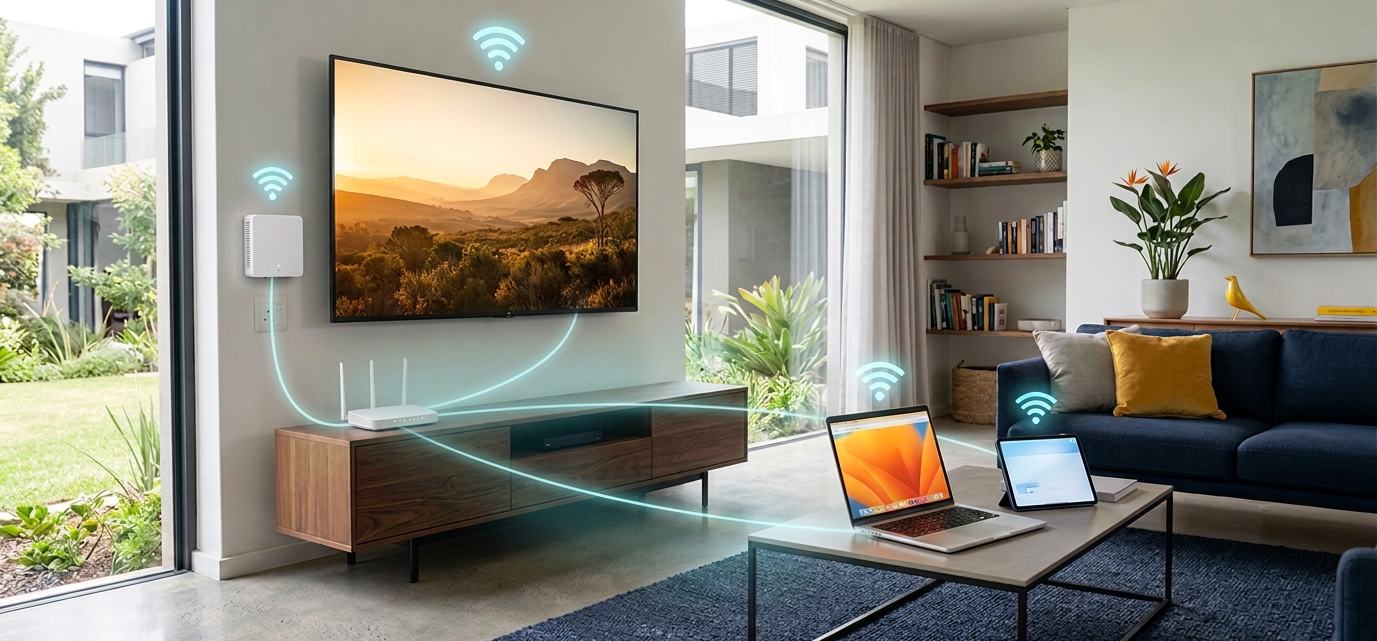
Getting fibre installed at your home is simpler than most people expect. There is no construction crew tearing up your garden, no week-long disruption, and no complicated setup on your end. A certified technician handles everything, from running the cable to getting you online. Depending on your package and the network operator, a Wi-Fi router may be included.
This guide walks you through exactly what happens, step by step, so there are no surprises on the day.
Key Takeaway: The exact process can vary depending on the fibre network operator, property type and installation requirements. As a general guide, standard installation is typically handled at no extra cost, takes around 1–2 hours on the day, and you will usually be contacted to schedule within a few days to a few weeks of signing up. A certified technician handles the physical work. All you need to do is be home.
Who This Guide Is For
This guide is for you if:
You have signed up for fibre (or you are about to) and want to know what actually happens during installation
You are nervous about the process and want to know if the technician needs to drill holes or dig up your property
You are wondering how long it takes and whether you need to take a day off work
You want to understand what equipment gets installed and what you need to do on your side
You have heard horror stories from friends and want to know what a smooth installation actually looks like
Whether you are in Joburg, Cape Town, Durban, or a smaller town on the Vuma Reach network, the process works the same way, and it is far less dramatic than you might think.
The Installation Journey: Step by Step
Step 1: Check Your Coverage and Sign Up
Everything starts at infinifi.co.za. Pop in your address and we will tell you instantly whether Vuma Reach fibre is available at your location. If it is, browse our fibre packages, fill in your details, and you are officially in the queue.
If your area has fibre infrastructure but your specific property has not been connected yet, that first installation (running the cable from the street to your home) will be arranged as part of the process.
If fibre is not available in your area yet, you can register your interest and we will notify you the moment it arrives. Not sure which speed to choose? Our guide to picking the right fibre speed can help before you sign up.
Step 2: Installation Gets Scheduled
Once your order is confirmed, the fibre network operator (Vuma Reach) will reach out to schedule your installation. You will get a date and time window that works for you.
Typically, installations are scheduled within a few days to several weeks of signing up, depending on demand in your area and whether the fibre infrastructure is already in place at your property.
Important: Someone over 18 needs to be at the property during installation. The technician will need access to the outside of your home and to the spot inside where you want the ONT box placed. Make sure you are there (or have someone responsible there on your behalf).
Step 3: The Technician Arrives
On the day, a certified fibre technician will arrive at your property. These are not random contractors. They are trained and accredited to work with fibre optic cables, which are delicate and need to be handled properly.
The technician will start by introducing themselves and doing a quick walkthrough of your property. They will look at:
Where the fibre enters your property, usually from a distribution point on the street or in your complex
The route the cable will take, along the outside wall, through existing conduit, or along a path that causes the least disruption
Where you want the ONT box installed inside, ideally near a power socket and where you will keep your router
This is your chance to tell them where you would prefer the box. Most people put it near the TV or in a home office, wherever your main internet use happens.
Step 4: Running the Cable and Installing the ONT
This is the main part of the installation, and it is where the technician does the heavy lifting.
Outside your home: The technician runs a thin fibre optic cable from the nearest distribution point to your property. If you are in a complex or estate, the cable often runs along existing cable trays. For freestanding homes, it usually runs along the boundary wall and then along the outside of the house in a neat, unobtrusive channel.
In most cases, the technician will need to drill a small hole through an exterior wall to bring the cable inside, about the size of a pen. They will seal it properly afterwards so there is no gap left open.
Inside your home: The cable terminates at a small white box called an ONT (Optical Network Terminal). This is the device that converts the light signals travelling through the fibre cable into data your router can use. It is about the size of a paperback book, gets mounted on the wall or placed on a shelf, and plugs into a standard power socket.
The ONT has a few ports on it. The main one you will care about is the LAN port, which is where your router plugs in.
Step 5: Your Free Router Gets Connected
Depending on your package, a Wi-Fi router may be included. The technician will connect it to the ONT, power it on, and make sure it is broadcasting your Wi-Fi network.
The router we provide is a quality dual-band unit that handles the speeds you are paying for. It supports both the 2.4 GHz band (better range, slightly slower) and the 5 GHz band (faster speeds, slightly less range), so you will get solid coverage through most of a standard South African home.
If you already have your own router that you prefer to use (a mesh system, a gaming router, or something you have invested in) that is perfectly fine too. The technician can set up either one. Just let them know on the day.
Step 6: Testing and Handover
Before the technician leaves, they will test the connection to make sure everything is working as it should. This includes:
Checking the ONT light indicators. A solid green light means the fibre link is active and healthy
Running a speed test to confirm you are getting the speeds your package promises
Making sure your Wi-Fi router is broadcasting and your devices can connect
Walking you through the basics: what the ONT lights mean, how to restart the equipment if you ever need to, and what to do if something goes wrong
Once everything checks out, the technician packs up and you are officially on fibre. The whole process typically takes between one and two hours for a standard installation.
Timeline: From Sign-Up to Surfing
Here is a realistic overview of the full timeline so you know what to expect at each stage:
| Stage | What Happens | Typical Timeframe |
|---|---|---|
| Sign up | Choose your package at infinifi.co.za | Same day |
| Order confirmation | Your order is processed and passed to Vuma Reach | 1-2 business days |
| Installation scheduling | Vuma Reach contacts you to book a date | A few days to several weeks (varies by area) |
| Installation day | Technician arrives and installs everything | Typically 1-2 hours (standard installation) |
| You are online | Connect your devices and start using fibre | Immediately after installation |
Total time from sign-up to connected: Typically one to a few weeks for a standard installation, though this can vary depending on your area, the fibre network, and scheduling. In complexes and estates where fibre has already been rolled out to individual units, the process can be even quicker, sometimes just a few days from sign-up to installation.
What the Technician Actually Does (In Plain English)
For those who want the detail, here is a straightforward breakdown:
Arrives and inspects the property. Looks at how to route the cable with minimal disruption
Runs the fibre cable from the street to your home. Typically along walls, fences, or existing cable trays
Drills a small entry point. A single, neatly sealed hole to bring the cable inside
Mounts and connects the ONT. The small box that terminates the fibre line inside your home
Connects and configures the router. Either the free Infini-fi router or your own device
Tests the connection. Speed test, light checks, Wi-Fi confirmation
Walks you through the setup. Shows you what everything does and how to troubleshoot basic issues
Cleans up and leaves. No mess, no leftover cables, no damage to your property
The technician will also ask you to sign off on the installation once you are happy that everything is working. If something is not right, speak up before they leave. It is much easier to sort things out while they are still there.
Your Wi-Fi Router
Let us talk about the router for a moment, because it is one of those things that can make or break your home internet experience.
Depending on your package, a Wi-Fi router may be included at no extra cost. Where provided, it is a dual-band unit capable of handling the speeds of your chosen package, and it is pre-configured so the technician can get it running during installation without any hassle on your end.
What if you already have a router? No problem at all. If you have a premium router or a mesh Wi-Fi system that you prefer to use, the technician will happily connect that instead. The ONT has a standard LAN port. Any modern router will work with it.
What if you need better coverage later? If you find that your Wi-Fi does not reach certain parts of your home (especially in larger houses with thick walls) you can always add a mesh extender or upgrade your router down the line. But for most standard homes, the included router does a solid job straight out of the box.
Common Things People Worry About (That You Should Not)
“Will they damage my property?”
No. The technician routes the cable as neatly as possible, usually along existing structures. The only drilling involved is a small hole to bring the cable inside, and it is sealed up properly. They are not digging trenches through your garden or breaking down walls.
“Do I need to prepare anything beforehand?”
Not really. Just make sure the technician can access the outside of your property and the room where you would like the ONT installed. If there is a locked gate or a guard at a complex entrance, make sure they know someone is coming. Having a power socket available near where you want the ONT is helpful too.
“What if I am renting? Can I still get fibre?”
Ja, you can. The installation is done at the property, and the fibre infrastructure stays with the property if you move out. If your landlord has any concerns, let them know that fibre installation actually increases the property’s value. It is an upgrade, not damage. Some landlords might want to be consulted first, so it is worth having that conversation.
“Will it work during loadshedding?”
The fibre cable itself does not need electricity, but the ONT and router do. During loadshedding, your internet will go down unless you have a UPS (uninterruptible power supply) or inverter keeping them powered. A small UPS is affordable and can keep your ONT and router running through most loadshedding stages. It is a worthwhile investment if staying online during power cuts matters to you.
“What if something goes wrong after installation?”
Visit our contact page or call us on 084 555 8858. We are real people, a South African team that actually picks up the phone and helps you sort things out. Whether it is a connectivity issue, a question about your router, or anything else, we are here to help.
5 Things to Remember
Standard fibre installation is typically handled at no extra cost. A certified technician handles everything from running the cable to connecting your router, though details can vary depending on the fibre network operator and property type.
The installation itself typically takes one to two hours for a standard setup. You will usually be contacted to schedule within a few days to a few weeks of signing up, depending on your area.
Depending on your package, a Wi-Fi router may be included. You can also use your own router if you prefer.
Someone over 18 must be home during installation so the technician can access your property and confirm where you would like the equipment placed.
Everything is tested before the technician leaves. They will run speed tests, check the ONT, and make sure your Wi-Fi is working before they pack up.
Frequently Asked Questions
1. Is fibre installation really free?
Standard installation is typically handled at no extra cost. The fibre network operator generally covers the cost of running the cable to your home and installing the ONT. In rare cases (like if your property needs an unusually long cable run or there is a tricky access situation) there might be an additional charge, but the technician will always discuss this with you before doing any work. You will not get hit with a surprise bill.
2. How long does it take from signing up to being connected?
Most customers are connected within one to a few weeks of signing up, though this can vary by area. The installation itself typically takes one to two hours, but getting a date depends on technician availability in your area. If your property is in a complex or estate where fibre is already active, it can be even quicker, sometimes just a few days.
3. Do I need to buy a router?
Depending on your package, a Wi-Fi router may be included. Where provided, it is a quality dual-band unit that handles the speeds you are paying for. If you already have your own router and prefer to use it, that is fine too. The technician can connect either one during installation.
4. Will the technician drill holes in my walls?
Usually just one small hole, about the size of a pen, to bring the fibre cable from outside into your home. It is sealed up properly afterwards. The technician routes the cable as neatly as possible along existing walls and structures. They will not cause any unnecessary damage, and they will confirm the route with you before they start.
5. Can I choose where the ONT box goes?
Absolutely. The technician will ask you where you would like it installed. The only requirements are that it needs to be near a power socket (it needs electricity) and ideally close to where you will keep your router. Most people put it near the TV or in their home office. If you have a preference, let the technician know right at the start. It is much easier to plan the cable route if they know the destination upfront.
6. What if I live in a complex or estate? Is the process different?
The process is the same, but it is often faster and simpler. Most complexes and estates that have Vuma Reach coverage already have fibre infrastructure running through the common areas and up to each unit. The technician just needs to make the final connection from the distribution point to your unit and install the ONT inside. You might need to let your body corporate or estate management know in advance, and make sure the technician can get through any security gates.
7. What happens if I move house after installation?
The ONT and fibre infrastructure stay with the property. They are physically connected to the building. If you move to a new address that has Vuma Reach coverage, you can sign up for Infini-fi at your new place and get a fresh installation done there. Your old connection gets deactivated. Since Infini-fi does not trap you in long-term contracts, there is no drama. You just get set up at your new address and carry on.
8. What should I do to prepare for installation day?
Honestly, not much. Just make sure someone over 18 is home during the appointment window, that the technician can access the outside of your property, and that you have thought about where you would like the ONT installed inside. If you are in a complex, let the security or managing agent know a technician is coming. Having a power socket available near your preferred ONT location will also help things go smoothly. Other than that, just be there and the technician will handle the rest. For answers to more common fibre questions, visit our Fibre Internet FAQs.
For more fibre guides and resources, visit the Infini-fi Knowledge Hub.
Ready for the next step?
Find a deal that suits your lifestyle, or head back to the Knowledge Hub for more fibre help, FAQs and practical advice.